Showing posts with label scripting. Show all posts

Wednesday, September 11, 2013

VLC Media Player: Automatically Skip Songs in Indian Movies!


I watch a lot of movies. Really a lot. And VLC Media Player is my (and many others') favorite. Indian movies are plagued with songs in irrelevant times and most of the time it just interrupts the pace/flow of the movie. No offense to music lovers/music makers, I like listening to songs in general. But I don't like them in the middle of an important scene in the movie.

The Problem

Whenever a song starts, inevitably I try to use the seek bar (using the seek bar is really one of the big pain points of any media player as it almost never takes you to where you want) and seek to the end of the song. Most of the time I end up seeking either just after the song (thereby missing something important) or to some portion in between the song (thereby having to wait for some more time for the song to end).

As an engineer, I naturally wondered, Wouldn't it be wonderful to have an automated way (preferably a keyboard shortcut) to just skip the song and move to the more important stuff?

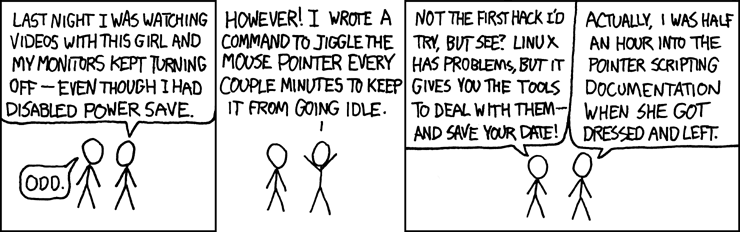
This is exactly what I sat down to solve. Based on this xkcd, it seemed like it would be worth the time.And I (sort of) have a perfect solution that helps me skip songs automatically in the press of a button in VLC Media Player.

The Solution

As hard as the problem might seem, I ended up using a very simple heuristic. Start analyzing the audio stream, and whenever there is a silence for about a second or so, it's likely that the song ends there. I just came up with this heuristic based on the fact that most Indian movie songs are continuous (either lyric or the music goes on throughout the song without any breaks) and when the song ends, there is usually a small interval of silence before the next scene starts. And if there is a silence somewhere in between the song, just do the analysis again and it will take you to the next silence which is most likely the end of the song.

Is it perfect? Absolutely not. It's not even a solution, it's more of a heuristic (aka hack) which exploits some pattern in the Indian movie songs. And in my observation (I have been using this for quite a while now), It seems to be working correctly 99% of the time.

Implementation Details

Note: This section has technical jibber-jabber. If all you care about is how to use the script in your VLC media player, skip ahead to the "Usage" section.

First things first, I chose VLC media player, because that's the one I use. If you aren't using it, then you should start using it too. To begin with, we need to query VLC Media Player.

The overall flow goes something like this:
  1. Get the name of the file that VLC is currently playing
  2. Get the time point of the current playback from VLC
  3. Analyze the audio stream of the file and detect the next silence beginning from the time point of current playback
  4. Seek VLC to the determined duration where silence was detected (this is likely the end point of our song)
As complex as these steps might seem, they are fairly trivial to accomplish. To perform steps 1, 2 and 4 all we need to do is enable the HTTP interface in VLC. Once that's done, it is straightforward to get details of playback and control the player through a simple HTTP interface. The 2nd step is a little more tricky as it involves analysis of the audio stream of a file. Fortunately, we have a swiss army knife in our hands which will not only analyze the audio stream, but pin point us to the exact location of silence that we are looking for. The tool is none other than FFmpeg. The silence detect filter in ffmpeg has been used to accomplish this.

Here is a rough sketch of the ffmpeg command that I use:

ffmpeg -ss <start_time> -i <input_file> -t 600 -vn -af silencedetect=noise=0.1 -f null -

Let me break that up:
  • -ss <start_time> :- seeks to the specified time in the input file. this value for this is obtained from VLC's HTTP interface
  • -i <input_file> :- absolute path of the file that VLC is currently playing. this value is obtained from VLC's HTTP interface
  • -t 600 :- analyzes only 600 seconds (10 minutes) of audio to detect for silence (as Indian movie songs are hardly longer than 10 minutes).
  • -vn :- ignore the video
  • -af silencedetect=noise=0.1 :- enable the silence detection filter with a threshold of 0.1dB. this value was picked by trial and error.
  • -f null - :- just print the output of the filter in stdout rather than a file.

We then grep for the exact duration and then seek VLC based on this output.

Code

Look into the variables on top of the file and change them as per your environment if required.

Usage

To use this script, you need to install the following (fairly straightforward if you are tech-savy, but doable even if you are not).


Once you do the above steps, all you need to do is to bind a keyboard shortcut such that the script will execute. For Mac, I used Keyboard Maestro to set up a global keyboard shortcut which will invoke the script. There should be an equivalent program for Windows/Linux too. So that whenever a song starts, I merely use the keyboard shortcut to skip it.

Hope you enjoy it.

-Vignesh


Education is a cure for all problems. Donate for the cause of Educating kids: Computer Kindness Foundation is helping schools to build Libraries. Follow the link to contribute.

Sunday, June 30, 2013

Using hash tags to organize bash history

We use hash tags all over the place in social networks. We use it extensively on Twitter and Instagram. Facebook recently launched support for hash tags as well.

So, in a way, our online life revolves around hash tags. Given that, it’s a really great thing for bash power users that # in shell means comment. I usually tend to type long commands and won’t bother remembering or saving them somewhere as it is in the bash history and i can retrieve it by reverse-i-search (Ctrl+R) anytime I want. 

As time passes by, more than often I end up retyping the whole command as reverse-i-search doesn’t have a unique combination of letters/words to search for. So, off late, I have found a dead simple way to never lose control over reverse-i-search because of too many similar commands. I just append a hash tag every command I type in. And later search for the hash tag in reverse-i-search. Since, anything that follows # is treated as a comment, the text is silently ignored, while giving you power to search through it alter on.

For example, when i write PHP code, I often tend to run lint on all the php files before executing them to make sure there aren’t any silly syntax errors. This is the exact command that i run:
find . -iname '*.php' -print0 | xargs -0 -n1 php -l
If you look at this command, none if its contents are unique by any mean. All these phrases and commands are something that we use over and over again. So it’s very plausible that this might get lost in the bash history and practically un-searchable with reverse-i-search. Now this is the command with a hash tag appended:
find . -iname '*.php' -print0 | xargs -0 -n1 php -l #phplint
Tada, there we go. From now on, we can do a reverse-i-search for “#phplint” or merely “phplint” to get back this command from the bash history. Also make sure you set HISTSIZE to a large value in your .bashrc to make sure you history is practically infinite.

-Vignesh

Do a good deed today. Donate to the Prime Minister's National Relief Fund.

Tuesday, April 23, 2013

Solving Boggle (Scramble with Friends) with a Bot!

Headnote

I am always fascinated by Android games, especially puzzle games. This is how it usually works with me and a puzzle game. I start playing them with random friends. They beat me and I beat them on and off. Then I sit and think, this is so monotonic and algorithmic that a human being shouldn't be sitting and doing it. Then I sit with the computer (with my favorite monkeyrunner Jython in it) and try to come up with a simple algorithm for it. Then i plug in the standard monkeyrunner code to actually feed the output of the program back to the device. Then I usually become #1 among my friends in the leaderboard (often even in the global leaderboard) ;-)

This is one such scenario. Zynga's Scramble with Friends has been really popular among my friends off late. So i hit this routine cycle and ended up with a beautiful bot which usually scores a centum (like the one TamBrahm parents force their kids to get in Mathematics).

With that out of the way, let's begin.

Objective of the Game

The game consists of a 4x4 grid of letters. You have to form as many words you can by starting from a letter and by moving to one of the (upto) 8 adjacent letters. Dead simple, but really interesting and addictive.

The first thing needed to solve this is a dictionary of words. I went on the internet and downloaded a plain text dictionary file which had about 170k words in it. Good enough to start with.

Algorithm - Breadth First Search

The number of valid words is usually very limited. In most games, the total number of valid words is usually < 400. So, a simple Breadth First Search (BFS) will do starting with single letter elements and then add the neighbors recursively. One key insight is, if you come across a prefix that never occurs in the dictionary, you can discard that prefix at that point instead of adding it to the traversal queue.

A rough sketch of the algorithm is as follows:
  • queue = [all 16 characters]
  • while queue is not empty:
    • word = head of queue
    • if word is in dictionary output it [1]
    • for all neighbors adjacent to the last character of word
      • new_word = word + neighbor
      • if dictionary has words with prefix new_word, add new_word to the queue [2]
That's it. Straightforward implementation of a BFS-like algorithm.

Choice of Data Structure

The key to solving this problem efficiently lies in choosing a good data structure for implementing the dictionary. The dictionary needs to support two major operations. One is looking up if a word exists. This is used for step [1] in the above algorithm. The other operation is, given a prefix, check if there is atleast one word containing that prefix in the dictionary. This is used for step [2] in the algorithm mentioned above.

Array ?

One good looking candidate is using a simple array (note that the dictionary is already sorted for us). Look up can be performed using simple binary search. Prefix checking can also be performed using a modified binary search (if search succeeds, then prefix exists. if search fails, prefix existence can be determined by looking at the bounds in which the search failed). Also, note that the dictionary has ~173k words. So, searching is gonna take log(173k) which is approximately 18 hits in the worst case. This is a totally fair deal.

Trie ?

Another possibility is using the Trie, whose raison-d'etre (very reason for existence) is to implement such dictionaries. The Trie implementation is also fairly trivial (since we require only two major operations apart from Trie construction). In the Trie, both the operations are gonna take as many hits as the length of the word or the prefix being looked up. So asymptotically, both these data structures are more or less similar and we don't have a big advantage in using either one over the other since our output is always gonna be < 400 words.

I decided to go with the Trie. After reading this article about Trie implementations in Python, I decided to quickly write my own implementation of Trie. Also, this made life simpler as I couldn't quickly find any good resources about using external libraries within monkeyrunner.

Implementation Quirks

Since I had already used monkeyrunner a few times before, implementation turned out to be pretty straightforward. The following are a few implementation quirks and nuances that the script deals with:
  • Input is manually entered as a raw row-major string of length 16.
  • If the same word can be formed by two different combinations, only one combination is actually considered valid. This is overcome by storing a list of already found words in another Trie.
  • Even though the script finds smaller words first (because of BFS), it actually starts outputting words of length >= 5 first and then after it has exhausted all the lengthier words, it then outputs the smaller words in the reverse order of length (4,3,2). This is to maximize points in case we don't find time to output all the words.
  • The game offers three lifelines. I found the freeze option to be useful to the bot (as each freeze gives you 15 additional seconds of game time). So, the script automatically taps on the freeze lifeline every 30 seconds.
  • We also need to store the co-ordinate of each letter in the queue along with the letters themselves in order to simulate the output in the device.
  • The co-ordinates are hard-coded for Nexus 7 portrait mode.

Code

The whole implementation can be found here: https://github.com/vickyg3/scripts/tree/master/scramble_bot

Sample Video

Here is the exciting part. This is how it looks like when my bot plays the game:


It's always a very nice feelings to watch you script do such beautiful things.

-Vignesh

Wanna do some good deed? Visit http://www.computerkindness.org (Or look for the banner in the top-right of this page).

Saturday, May 7, 2011

Orkut Deja Vu - The Technical Side!


Its been almost two months now since I first launched "Orkut Deja Vu" - A series of web applications and a chrome extension that helps you move your memories from orkut to facebook. Personally, I think the application was a good hit. In this article i will try and explain the technical side of it and the various hurdles faced on the due course of development.


Note: This article is for the technically inclined and if you don't want the technical details and just want to use the application, visit http://orkutdejavu.foamsnet.com!


Java and My server!


To begin with it, my server is a VPS running linux with a humble 700MB RAM and a shared processor. My search for an Orkut API ended with orkut os client - An official API provided by Google. This is more of a library than an API and only the java implementation of the library was very sophisticated (though there were php implementations, they weren't that good). Ever since i started learning computer science, if there was one thing i hated, it was java (now don't even get me started about perl).


So there lied the first problem in front of my eyes: Running java in my server. I didn't want to take up the pain of setting up JSP for this sake and decided to just call the java program that does the orkut calls from PHP using shell_exec. I know it isn't a safe option, but since there is no user passed data and the calls are hard-coded, i was sure that there was no injection vulnerabilities. Yet this approach isn't very efficient as it spawns a separate java vm for every exec call, but it was a compromise that i had to make for not setting up a java based server.


OAuth - The headache!


The orkut library's OAuth implementation was really messy. Fortunately, it had a method to explicitly set an OAuth access token obtained from elsewhere. That said, I used Zend OAuth library in PHP to perform the 3 legged OAuth and use that access token in the java programs. There were totally four java programs: one each to fetch the user's orkut name, albums list, photos and scraps. The java programs printed the output as JSON if it was successful or nothing if there was an exception. PHP then parses that JSON. I used JSON so that all the escaping will be taken care by the JSON libraries and thereby ensuring safety of data transmission.


Photo Album Migrator


The photo album migration was quite straight forward without much hurdles. All i had to do was integrate the following: Image gallery, Facebook API, Orkut API and write some simple javascript that made AJAX calls to transfer the photos. This was quite a cakewalk as i was already very familiar with the Facebook graph API.


Scrapbook Downloader


Again, the programming side of this was quite straight forward. But there was one major challenge involved in designing this. The java program generates a html file containing the scraps which is then converted to PDF. HTML to PDF conversion is CPU intensive and hence needs to be done with care. I could have used a resource manager like Sun Grid Engine, but i did not want to make things complex for a simple job to be done. Also, the conversion is not done programatically by a library as all the PHP PDF libraries were memory-wise very expensive (a file with ~100 scraps always exceeded PHP's memory limit of 64MB). So, I used a external command line utility (wkhtmltopdf) to accomplish this conversion. Again it was a simple shell_exec with hard-coded arguments.


Testimonials Migrator


This was the really challenging part. There was no Orkut API that gave access to users' testimonials. But i didn't want to give up. I really wanted to pull off a tool that can migrate testimonials to facebook. So I thought of attacking this problem from the heart of orkut - the orkut website. Obviously, the first thing that came to my mind was a Google Chrome extension. The extension will inject a javascript into orkut.com website and add a "Post to Facebook" button beneath eacch of your testimonials.


The first hurdle in accomplishing this was that there were two versions of orkut (old and new) with different page structures. I didn't want to write two different scripts to handle the versions. Instead i wrote another script that detects the version and if it is new, it prompted the user to redirect to the older version in order to use the extension. The next job was to understand orkut's DOM so that I can place the buttons. This ended up being quite an easy job too.


Another glitch in chrome extensions is that we cannot specify images directly in CSS for content scripts(for e.g.: background: url(a.jpg); is not possible), as the CSS will run in the scope of the website. So, it has to be either done programatically using javascript or encode the image in base64 and hard code it in the CSS. I chose the first option. From this point, it was fairly straight forward. When the user clicks on the post button, store the corresponding testimonial using HTML5's local storage and create a new tab where the user can choose the posting options. Again, the facebook authentication and API usage here were simple as i had enough exposure already.


Epilogue


Though it seems like a simple app, huge amount of thoughts are put into every single aspect in design of the application and the entire development process was a fun journey with a great learning curve. This application has made me feel my web presence. Web is really a great platform for amateur developers like me. I have got around 20 new followers in twitter and a person from brazil appreciating me for this application. I have really been motivated a lot by this and hope to continue the same stride in creating usable applications as this one!


This post will not be complete without a heartfelt thanks to all those who supported me on due course of development and all those who used and shared this with your friends!


-Vignesh

Wednesday, March 23, 2011

Scripting vs Programming - Mastering the art of arts!

Why this post?

The line of difference between a script and a program has become very blurry these days to the extent that these terms are used interchangeably. Though there is no hard and tight way to theoretically define what a script is and say how it is different from a program, if you have done a lot of programming and if you are a person who loves to automate things, then you can definitely realize the clear line of difference between scripting and programming. In this article, I try to give my views on what scripting is, how it differs from programming, etc. (Whole of this article just represents my view and there is a good chance that some of it may be wrong).

What is a script?

A script is just a small piece of code, usually written in a non-traditional programming language (like bash or perl) that is used to get a job done. Well, sure you can’t see much of how it differs from the definition of a "program". That is what i try to explain on the due course of this article.

How does it differ from a program?
As i said earlier, there is no concrete set of rules to distinguish a script and a program. The main deciding factors are:
  • the purpose with which its developed
  • the design mechanism underwent on due course of development, and
  • the person who uses it

Scripts are generally very specific to their task. They just do what is to be done, nothing more or nothing less. Whereas programs generally have a broad scope. They are more sophisticated and usually do much more than what they are supposed to do. This is the difference with respect to the first point.

Scripts generally don’t follow any design. Scripts are usually just written, with no design in mind whatsoever. Even if they are complex, they aren’t designed with care and concern. Whereas programs on the other hand are designed to work with a proper flow and fault tolerance. Scripts are usually used by programmers themselves internally, whereas programs are full fledged tools that are used by everyone from geeks to laymen. To state an example, Facebook is a "program" and if you build something that will scrape data off facebook in the format you want, then that could be a "script".

Scripting is usually considered as programming as a part of developing an actual program. For example, the recent android patent issue says Google used a "script" to clean up all the comments and other stuff from the kernel header files. So, scripts can be generally categorized as utility functions that helps you making your "program" development easier.

What’s a scripting language?

Again, a scripting language is a programming language that is generally non-traditional. Scripting language usually provides constructs for doing things in the quickest way possible rather than in the most efficient way possible (For e.g. most of the scripting languages usually have a sort() function to sort the data. Though they may not be the most efficient implementation of sorting data, it gets the job done without fuss). Another aspect is that scripting languages are usually interpreted and not compiled. This gives the assurance that the script dies if anything goes wrong, the script starts over all again, taking advantage of the fact that scripts need not provide any atomicity over what they do.

Uses of scripting

I love automating things i do and hence scripting is a very essential part of my online life. Scripts can help your online life get much easier and better. For example, i have various little chrome content scripts (google chrome’s equivalent of greasemonkey scripts) that helps me make my day-to-day browsing easier and more productive. Also, i extensively use sed and awk scripts to browse through log files generated by the programs i develop. I even have scripts that help me check if there are new episodes of my favorite TV Serials (BBT, HIMYM) available for download and alert me.

When it comes to automating day to day online tasks, scripting is your swiss army knife. You can accomplish things quickly and in the way you want them to be.

Scripting as an art

We all know that programming is more of an art than a science. Developing a perfect program is close to impossible. But scripting too is an art that can aid you in making your programming life much better. Learning a scripting language at the beginning may seem weird, but once you get used to the constructs, it will really be a cake walk and you will find it a lot useful to have it as one of your assets.

To sum up..

Scripting and programming always go together. Scripting aids in automating things that will make a program better than what it is now. Though only a beginner, my humble piece of advice to every programmer out there is "Never hesitate to automate things. You learn a lot while automating silly things! So next time when you come across a silly problem in your work or in your project, try to tackle it with a quick utility script rather trying to fix it manually!"

-Vignesh