Showing posts with label bot. Show all posts

Wednesday, September 11, 2013

VLC Media Player: Automatically Skip Songs in Indian Movies!


I watch a lot of movies. Really a lot. And VLC Media Player is my (and many others') favorite. Indian movies are plagued with songs in irrelevant times and most of the time it just interrupts the pace/flow of the movie. No offense to music lovers/music makers, I like listening to songs in general. But I don't like them in the middle of an important scene in the movie.

The Problem

Whenever a song starts, inevitably I try to use the seek bar (using the seek bar is really one of the big pain points of any media player as it almost never takes you to where you want) and seek to the end of the song. Most of the time I end up seeking either just after the song (thereby missing something important) or to some portion in between the song (thereby having to wait for some more time for the song to end).

As an engineer, I naturally wondered, Wouldn't it be wonderful to have an automated way (preferably a keyboard shortcut) to just skip the song and move to the more important stuff?

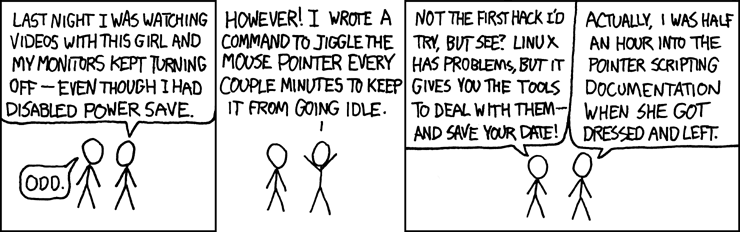
This is exactly what I sat down to solve. Based on this xkcd, it seemed like it would be worth the time.And I (sort of) have a perfect solution that helps me skip songs automatically in the press of a button in VLC Media Player.

The Solution

As hard as the problem might seem, I ended up using a very simple heuristic. Start analyzing the audio stream, and whenever there is a silence for about a second or so, it's likely that the song ends there. I just came up with this heuristic based on the fact that most Indian movie songs are continuous (either lyric or the music goes on throughout the song without any breaks) and when the song ends, there is usually a small interval of silence before the next scene starts. And if there is a silence somewhere in between the song, just do the analysis again and it will take you to the next silence which is most likely the end of the song.

Is it perfect? Absolutely not. It's not even a solution, it's more of a heuristic (aka hack) which exploits some pattern in the Indian movie songs. And in my observation (I have been using this for quite a while now), It seems to be working correctly 99% of the time.

Implementation Details

Note: This section has technical jibber-jabber. If all you care about is how to use the script in your VLC media player, skip ahead to the "Usage" section.

First things first, I chose VLC media player, because that's the one I use. If you aren't using it, then you should start using it too. To begin with, we need to query VLC Media Player.

The overall flow goes something like this:
  1. Get the name of the file that VLC is currently playing
  2. Get the time point of the current playback from VLC
  3. Analyze the audio stream of the file and detect the next silence beginning from the time point of current playback
  4. Seek VLC to the determined duration where silence was detected (this is likely the end point of our song)
As complex as these steps might seem, they are fairly trivial to accomplish. To perform steps 1, 2 and 4 all we need to do is enable the HTTP interface in VLC. Once that's done, it is straightforward to get details of playback and control the player through a simple HTTP interface. The 2nd step is a little more tricky as it involves analysis of the audio stream of a file. Fortunately, we have a swiss army knife in our hands which will not only analyze the audio stream, but pin point us to the exact location of silence that we are looking for. The tool is none other than FFmpeg. The silence detect filter in ffmpeg has been used to accomplish this.

Here is a rough sketch of the ffmpeg command that I use:

ffmpeg -ss <start_time> -i <input_file> -t 600 -vn -af silencedetect=noise=0.1 -f null -

Let me break that up:
  • -ss <start_time> :- seeks to the specified time in the input file. this value for this is obtained from VLC's HTTP interface
  • -i <input_file> :- absolute path of the file that VLC is currently playing. this value is obtained from VLC's HTTP interface
  • -t 600 :- analyzes only 600 seconds (10 minutes) of audio to detect for silence (as Indian movie songs are hardly longer than 10 minutes).
  • -vn :- ignore the video
  • -af silencedetect=noise=0.1 :- enable the silence detection filter with a threshold of 0.1dB. this value was picked by trial and error.
  • -f null - :- just print the output of the filter in stdout rather than a file.

We then grep for the exact duration and then seek VLC based on this output.

Code

Look into the variables on top of the file and change them as per your environment if required.

Usage

To use this script, you need to install the following (fairly straightforward if you are tech-savy, but doable even if you are not).


Once you do the above steps, all you need to do is to bind a keyboard shortcut such that the script will execute. For Mac, I used Keyboard Maestro to set up a global keyboard shortcut which will invoke the script. There should be an equivalent program for Windows/Linux too. So that whenever a song starts, I merely use the keyboard shortcut to skip it.

Hope you enjoy it.

-Vignesh


Education is a cure for all problems. Donate for the cause of Educating kids: Computer Kindness Foundation is helping schools to build Libraries. Follow the link to contribute.

Tuesday, April 23, 2013

Solving Boggle (Scramble with Friends) with a Bot!

Headnote

I am always fascinated by Android games, especially puzzle games. This is how it usually works with me and a puzzle game. I start playing them with random friends. They beat me and I beat them on and off. Then I sit and think, this is so monotonic and algorithmic that a human being shouldn't be sitting and doing it. Then I sit with the computer (with my favorite monkeyrunner Jython in it) and try to come up with a simple algorithm for it. Then i plug in the standard monkeyrunner code to actually feed the output of the program back to the device. Then I usually become #1 among my friends in the leaderboard (often even in the global leaderboard) ;-)

This is one such scenario. Zynga's Scramble with Friends has been really popular among my friends off late. So i hit this routine cycle and ended up with a beautiful bot which usually scores a centum (like the one TamBrahm parents force their kids to get in Mathematics).

With that out of the way, let's begin.

Objective of the Game

The game consists of a 4x4 grid of letters. You have to form as many words you can by starting from a letter and by moving to one of the (upto) 8 adjacent letters. Dead simple, but really interesting and addictive.

The first thing needed to solve this is a dictionary of words. I went on the internet and downloaded a plain text dictionary file which had about 170k words in it. Good enough to start with.

Algorithm - Breadth First Search

The number of valid words is usually very limited. In most games, the total number of valid words is usually < 400. So, a simple Breadth First Search (BFS) will do starting with single letter elements and then add the neighbors recursively. One key insight is, if you come across a prefix that never occurs in the dictionary, you can discard that prefix at that point instead of adding it to the traversal queue.

A rough sketch of the algorithm is as follows:
  • queue = [all 16 characters]
  • while queue is not empty:
    • word = head of queue
    • if word is in dictionary output it [1]
    • for all neighbors adjacent to the last character of word
      • new_word = word + neighbor
      • if dictionary has words with prefix new_word, add new_word to the queue [2]
That's it. Straightforward implementation of a BFS-like algorithm.

Choice of Data Structure

The key to solving this problem efficiently lies in choosing a good data structure for implementing the dictionary. The dictionary needs to support two major operations. One is looking up if a word exists. This is used for step [1] in the above algorithm. The other operation is, given a prefix, check if there is atleast one word containing that prefix in the dictionary. This is used for step [2] in the algorithm mentioned above.

Array ?

One good looking candidate is using a simple array (note that the dictionary is already sorted for us). Look up can be performed using simple binary search. Prefix checking can also be performed using a modified binary search (if search succeeds, then prefix exists. if search fails, prefix existence can be determined by looking at the bounds in which the search failed). Also, note that the dictionary has ~173k words. So, searching is gonna take log(173k) which is approximately 18 hits in the worst case. This is a totally fair deal.

Trie ?

Another possibility is using the Trie, whose raison-d'etre (very reason for existence) is to implement such dictionaries. The Trie implementation is also fairly trivial (since we require only two major operations apart from Trie construction). In the Trie, both the operations are gonna take as many hits as the length of the word or the prefix being looked up. So asymptotically, both these data structures are more or less similar and we don't have a big advantage in using either one over the other since our output is always gonna be < 400 words.

I decided to go with the Trie. After reading this article about Trie implementations in Python, I decided to quickly write my own implementation of Trie. Also, this made life simpler as I couldn't quickly find any good resources about using external libraries within monkeyrunner.

Implementation Quirks

Since I had already used monkeyrunner a few times before, implementation turned out to be pretty straightforward. The following are a few implementation quirks and nuances that the script deals with:
  • Input is manually entered as a raw row-major string of length 16.
  • If the same word can be formed by two different combinations, only one combination is actually considered valid. This is overcome by storing a list of already found words in another Trie.
  • Even though the script finds smaller words first (because of BFS), it actually starts outputting words of length >= 5 first and then after it has exhausted all the lengthier words, it then outputs the smaller words in the reverse order of length (4,3,2). This is to maximize points in case we don't find time to output all the words.
  • The game offers three lifelines. I found the freeze option to be useful to the bot (as each freeze gives you 15 additional seconds of game time). So, the script automatically taps on the freeze lifeline every 30 seconds.
  • We also need to store the co-ordinate of each letter in the queue along with the letters themselves in order to simulate the output in the device.
  • The co-ordinates are hard-coded for Nexus 7 portrait mode.

Code

The whole implementation can be found here: https://github.com/vickyg3/scripts/tree/master/scramble_bot

Sample Video

Here is the exciting part. This is how it looks like when my bot plays the game:


It's always a very nice feelings to watch you script do such beautiful things.

-Vignesh

Wanna do some good deed? Visit http://www.computerkindness.org (Or look for the banner in the top-right of this page).